If You Have The Right Printer, You Have Your Marketing Consultant


Printers are Communications and Marketing Experts

Running a small business demands expertise in many, many divergent fields. You must excel at finance, employee relations, marketing, sales, and of course the specifics of the type of business you went into in the first place. In a large corporation, each duty or specialty is handled by an expert in that profession – or an entire heirarchy of experts: production, sales, marketing, human resources, R & D. As a small business owner, that’s all on you. Technology is only making that landscape even more challenging, daily.

To bring in help or advice on any of these areas is costly and risky. When it comes to marketing, however, your best resource is right at hand. And – this is by far the best part – it is FREE! If you have the right printer, you already have a highly trained marketing consultant who knows print, branding, direct mail, web strategies, social media and has years of experience in both high and low tech marketing approaches that work for businesses just like yours. The most assuring part of this partnership for you is that the print/communications company only succeeds when your marketing succeeds! Start taking advantage of this asset – the print industry itself has had to reinvent itself in this new high tech economy. They know what works. 

Even if you have a background in marketing, the rules of the game over the past 10 years have changed DRASTICALLY.  (Check out this amazing and exhaustive infographic on the History of Marketing.) The marketing success that got you and your small business to where it is today will most likely not take you to future success in the emerging economy and IT world. Do you have the time and resources to become an expert in web design, SEO (search engine optimization), interactive online marketing, web metrics or analytics, to position your operation to embrace the new and as yet unknown technoligies that are right over the horizon? In most cases, the answer is no – and unless your business IS marketing, you should not have to. Turn to your printer for help.

The term “printer” is misleading. Today, printers do far more than put ink on paper. They have become marketing and communications specialists, and they are your closest and most knowledgeable sources for consulting with you on your overall marketing strategy. A good printer will understand your budget, your marketing goals and be able to suggest many options for creating results: integrated marketing strategies, direct mail, targeted variable data printing, promotional products, signage, branding, website development and e-commerce, social media marketing techniques, and unique design ideas. Discuss with them your target audience, who your consumer is, what your mission and specific goals are for the year. These are the facts your sales rep needs to recommend specific marketing strategies that you can use to translate into profit and customer recognition of your brand and your work. So the question is: why drain your energy trying to learn the new world of marketing on TOP of running your business when you already have a marketing consultant waiting to talk with you?

ImageSmith is a full-service print and marketing provider located in Arden, North Carolina. Contact us at ImageSmith for quotes on all your marketing projects, and more useful tips on how to create custom, effective, high impact marketing solutions.

Posted in Integrated Marketing, Print | Tagged , , , , , , , , , | Leave a comment

We Love Paper: 4 Favorites and a Few Resource Tips

We love paper. Its feel, smell, texture, weight. Selecting the right paper for a print project is an important part of the design of any printed piece. We understand that most designers and print buyers are not experts on paper, nor do they have the time to become one! They, therefore, rely on a good relationship with their printer to make smart paper selections. It can get confusing: matte, glossy, semi-gloss, premium, UV coating, lamination, caliper, grain direction, brightness, opacity. Then there’s all the information about recyclable content, chain of custody and other green concerns. Throw in the chemistry involved when ink or toner hits the paper and you encounter terms like dot gain, absorbency, coating, rasterization. A lot of science lives behind the manufacture of paper and the printing process itself. So how do you begin to choose the right paper for your job in the face of so many choices? Paper choices and the confusing selection available

Let’s start with a wide view, by looking at a few manufacturers of quality lines of paper for print. Below are a few of our favorites – papers that are affordable, yet offer top quality performance. They all come in offerings of varied finishes, grades, weights, colors and are optimized for both press and digital printing.

Sappi Flo – an industry standard print paper at an affordable price. High quality and environmentally sustainable. (Sappi also produces a hilarious online video series about the insanity in a local print shop called “Off Register.” Well worth checking out!)

Domtar Cougar – a great environmental choice, Cougar papers offer vibrant color contrast, smoothness and high quality.

Classic from Neenah – the Classic line from Neenah, aptly named, offers best-in-class quality, performance, compatibility and availability. The family includes Classic Crest, Classic Columns, Classic Cotton, Classic Laid and Classic Linen.

Mohawk – fine paper and envelopes, engineered for brilliant color, runability and detailed images.

There are five basic grades of paper: bond, offset or uncoated book, coated book, text, and cover. Within each of these grades are varieties of content, appearance, end use, original purpose, grain direction, finish, opacity, brightness… you get the idea. You have a LOT of choices. And in the realm of specialty papers, there are even more. With your printer’s help, you can narrow down what selection will work best for your project and budget. All major paper manufacturers are happy to supply samples, information and guidance on paper purchases.

In the process of browsing for the right paper, you might get curious about some terms you run across, such as sizing (a solution added to paper pulp to make it less absorbent), brightness (the percentage of a wavelength of blue light that paper reflects), caliper (the thickness of a sheet of paper, measured in 1/1000ths of an inch and referred to as point size), or acid free (paper with no acid, they have a pH higher than 7 and alkaline properties to resist aging). For a great detailed glossary of all things paper, check out the Glatfelter site. They are a global provider of specialty print papers. Or call us. As mentioned earlier… we love paper.

ImageSmith is a full-service print and marketing provider located in Arden, North Carolina. Contact us at ImageSmith for quotes on all your marketing projects, and more useful tips on how to create custom, effective, high impact marketing solutions.
Posted in Design, Green, Paper, Prepress, Print | Tagged , , , , , | Leave a comment

Color Makes Sense: On-Demand Color Printing

People pay more attention to marketing in color. It’s just a fact. And in the past, the cost of high quality color printing could be a deterrent to many firms with a limited marketing budget. Full color print was only cost effective for long press runs of large quantities. Those days are over. New digital print techonology has risen to meet the need for short run, on-demand, variable printing that fits most anyone’s marketing budget. Targeted, personalized mailings working in concert with web and email outreach have truly revolutionized marketing and the resulting ROI for all budgets and enterprises. Understanding some basics about color printing techniques will help you make the best choices in print buying.

CMYK printing on a 4-color offset press

Color Printing: The Bright Way to Do It

Offset printing is still the choice for print in large quantities, or on very large press sheets. Offset presses maintain very high quality in image reproduction and can match true PMS or spot colors with great accuracy. Turnaround time is generally longer, allowing for press set-up and for the finished product to dry before finishing.

The advantages of digital printing lie in fulfilling the need for quick, personalized prints in smaller quantities at an affordable price. The high quality of digital printing has grown so rapidly in the past years that it is often indistinguishable from offset. It also requires no drying time before cutting, folding or otherwise finishing like offset printing does, if time is of the utmost importance. A couple of drawbacks to digital printing are some inexact matches for PMS colors and slight shifting of position in paper feeding over the course of the run. These issues are, however, being addressed to the point that they may be a thing of the past as digital technology progresses.

Printing revolutionized the world by the 17th Century

Wooden-framed 17th century printing presses were replaced by the early 1800s with iron-framed presses.

Check out our previous blog posts relating to both the technical and design aspects of the power of color printing:

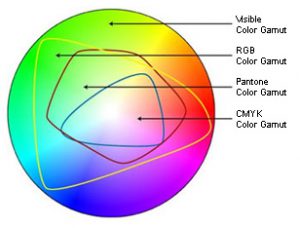
Color Printing 101: The RGB and CMYK Gamuts

Print: the Heart of Integrated Marketing Campaigns

Pantone’s 2012 Color of the Year is Tangerine Tango

The Psychology of Color: What Do Colors “Mean”?

What is a “moiré”?


ImageSmith is a full-service print and marketing provider located in Arden, North Carolina. Contact us at ImageSmith for quotes on all your marketing projects, and more useful tips on how to create custom, effective, high impact marketing solutions.
Posted in Branding, Design, Integrated Marketing, Print | Leave a comment

Setting Yourself Apart: Harnessing the Power of the Hand Written Note


We are connected today in every way possible –  smart phones, texts, tweets, phone calls, mobile GPS, even blogs. But can you remember the last hand written note or card you received? I bet you can! And that is important – it shows the powerful impact of a handwritten note. They always find their way to the top of the mail that is piling up on your desk. The lost art of hand written notes is a powerful communication tool

Taking time to do hand written notes may be a struggle, but the benefits can be huge. As we all know in this challenging economy we are all looking for something that makes us stand out. This small inexpensive detail will speak volumes. A note to say thank you for a great meeting, happy birthday or even just thanks for your time shows that you are ready to give clients the personal service that they are so hungry for. They can act as a relationship builder or the stepping stone to your next order from your client.

Personalized note paper or stationery is a smart choice once you get into the habit of note writing. Having the paper and envelopes at your work station will save time and remind you to write a note when the time is right. They should be branded with your company look and feel, including your contact information

How ever you plan to use this powerful tool, just remember to be consistent. Keep a roll of stamps with you. Write the notes while conversations are fresh on your mind or their last order just shipped out the door. This is one time that you can keep “time on your side” by mailing when you are still fresh in the minds of your clients.  And if you are really feeling ambitious, send all your customers a note wishing them a Happy Valentine’s Day,  or even just “Thanks for being a great Customer.”

The power of this secret weapon lies in it’s sincerity. In a world that is often OVER-connected, a personalized, hand written note speaks louder than any digital communication can. Receiving the note in the mail is an actual physical interaction – something not yet possible online. Read more at these links about the power of hand written notes and the lost art of note writing. Sometimes, low tech is still the best choice.


ImageSmith is a full-service print and marketing provider located in Arden, North Carolina. Contact us at ImageSmith for quotes on all your marketing projects, and more useful tips on how to create custom, effective, high impact marketing solutions.
Posted in Integrated Marketing, Mail, Paper | Tagged , , | Leave a comment

The Power of Design: the Madrid 2020 Olympic Logo Controversy

Good intentions – bad results. Olympic logos seem to keep going offtrack. Remember the London 2012 controversy? Well the latest logo disaster getting lots of attention online comes from Madrid’s bid to host the 2020 Olympic Games. An attempt to represent both the Olympic rings, an architectural landmark in Madrid and the mark “M20″ somehow turned into a childish looking brand symbol that seems to move the games from 2020 to 20020! Disaster. But an eloquent lesson in the power of design, both good and not so good.

Logo of the Madrid 2020 Olympic aspirations

2020... or 20020?

Above is the controversial logo. To many people, that first, all-important impression is of a chopped off symbol that seems to be a typo, moving the 2020 games into the future by about 18,000 years! A look at the original design below will help illustrate where things went off track here.

Art student's original design, via www.elmundo.es

The original idea was created by a 22-year-old student named Luis Peiret. What came to appear as “20020″ was originally “M20.” However the Madrid-based advertising agency Tapsa made some confusing changes which to many derailed their branding efforts. When the initial response to such a design is so clear, you have to wonder why the design firm did not see these problems in advance, or if seen why they decided they would not overshadow their purpose.

A logo that needs to come with an explanation defeats the purpose of good design. In this instance, the arches in the design represent a historical landmark in Madrid, the colors represent the Olympic colors – however black was exhanged for purple (?) A Spanish online poll found 81% of people said they did not like the logo. Pieret’s comment: “This is not my logo.” Ouch.

The old saying is that a camel is a horse designed by a committee. Perhaps this is a good example of how too many well-intentioned design authorities produced a confused, ineffective brand result. If you ever wonder about the power and importance of good design, this controversy over the logo could potentially hurt Madrid’s chances to host the Olympic Games – a high price to pay for a questionable design decision.

ImageSmith is a full-service print and marketing provider located in Arden, North Carolina. Contact us at ImageSmith for quotes on all your marketing projects, and more useful tips on how to create custom, effective, high impact marketing solutions.
Posted in Branding, Design, Promotions | Tagged , , , , , , , | Leave a comment

Print & Proofing: Typos Make Way for the Photoshop FAIL

If you work in the print or design business for any length of time, you will acquire a few stories to tell about typos, mistakes, and gaffes that escaped undetected by the proofing process. We proof carefully, and we encourage clients to be diligent in proofing before signing off on even the simplest of jobs. But even the sharpest proofreader lets a mistake slip by occasionally, and we are powerless once the ink hits the paper and the paper leaves the building. It says something about the power of print that once these mistakes are out in the public domain, they seem to carry so much weight. Today, with PhotoShop and the ease of photo editing, the problems that use to exist with typos and misspelled words have now moved into the realm of images. Careless photo editing can result in some really humorous and costly mistakes.

The New Typo: the Photoshop Fail

Glad I saw these legs hiding among the pool furniture before showing the client a proof.

My most recent flub involved the photograph above. This time, I caught it before it made it’s way to the client or, even worse, the press. In removing a person from the background of a larger photograph at the customer’s request, I neglected to remove the bottom part of her legs. There they stand amongst the deck furniture, smirking… an innocent, though sloppy, oversight.

Many times, however, edits are not the result of mistakes, and are viewed by the public in a much more negative manner. The fashion industry receives harsh criticism for their over-zealous use of the Photoshop edit in their print marketing. Many have taken already thin models and edited them down to impossibly thin results. Magazine covers routinely edit away the size and curves of women. The effect of these industry practices on the body image of young girls and women is troublesome to many. Companies like Ralph Lauren and Ann Taylor have suffered negative effects from public backlash by going too far with these edits. (Check out this video, Killing Us Softly 4: Advertising’s Image of Women.)

In an odd twist on the topic of “Photoshopping,” the New York Department of Health recently fell under fire for using a stock photo of an overweight man from Getty Images and digitally “removing” his leg to make him look like an amputee. The photo was used as part of a controversially graphic ad campaign that sought to link soda consumption to Diabetes. In this case, the photo edits were done well, but the fact that the photo was assumed to be non-edited drew the complaints of many who thought the ad campaign either inaccurate or too graphic.

We seem to want to trust that photographs are telling a story of fact – that they are evidence of a slice of reality. Yet we know photographs can be altered in perfectly convincing ways to tell whatever story we want them to. The result is we take some satisfaction in spotting the mistakes of a sloppy Photoshop guru – almost as if we uncovered someone trying to dupe us by the manipulation of the photo.

Check out these sites for some really entertaining photo gaffes: the “11 Biggest Photoshop Fails of All Time” and “The Funniest Photoshop FAILs of All Time,” courtesy of the Huffington Post. There’s even a website (of course) that keeps you up to date with the latest Photoshop disasters.

ImageSmith is a full-service print and marketing provider located in Arden, North Carolina. Contact us at ImageSmith for quotes on all your marketing projects, and more useful tips on how to create custom, effective, high impact marketing solutions.
Posted in Design, Prepress, Print | Tagged , , , , , , , , , | Leave a comment

10 Tips for Designing Vehicle Wraps with Adobe Illustrator

Adobe Illustrator is a great tool for designing vehicle wraps, and with the help of Adobe PhotoShop you can achieve beautiful, high impact results. Perhaps the most important tip for the designer is to begin with an accurate template and work closely with your print provider to follow their required quidelines. Installation and print considerations can sometimes trump an interesting design idea when it comes down to the practicality of applying images on vinyl to metal. Below are 10 tips to bear in mind while working with wrap designs.

Vinyl Vehicle Wrap of Snake on a City Bus

Powerful marketing use of vinyl vehicle wrap that dares you not to notice!


  1. Your design starts with an accurate template of your vehicle — they are available from the manufacturer or online and are essential for creation of your design at the correct size. Most templates come drawn at a scale of 1:20. Change the scale from 1:20 to 1:10 by selecting all and increasing the size by 200%. Now the scale is 1:10, where 1 inch onscreen equals 10 inches in real life. When the files are output, they are scaled at 1000%. It keeps the math simple.
  2. Begin by setting up your template with the correct layers. One layer will need to include all the bumpers, windows and elements that allow you to view the design in a realistic way, but are really not needed for printing. This layer should be at the top of the Layers palette. You can keep it locked while you work. Create separate layers for each of the different views that will be printed out: passenger side, drivers side, front, back and top. On each layer you will need to place a copy of the vehicle outline of that view to clip the images/artwork placed there. Create a Clipping Layer (not just a clipping path). That way, all art placed on that layer will be clipped, regardless of its order in the palette. When it comes time for output the clipping mask can be turned off. Also, name each layer clearly. Keeping all of this organized is the key to creating usable files that your printer can use for output.
  3. Keep in perspective how your wrapped vehicle will be seen – usually while in  motion, or from a driver’s level view while sitting in traffic. Bolder colors and one main point of focus might work best to make your design eye-catching. Extensive text will probably not be very useful. By the way, if your vehicle has a sliding door, be sure any text or images don’t create an unexpected result when the door is open… you don’t want to be surprised by what might inadvertently be created!
  4. Be careful of the corners! Bear in mind that your design has to be tiled into panels which are generally 52 inches wide, and your print provider or installer will need to discuss with you any concerns they have about how difficult the crossovers on these panels will be to line up during application. When you design a side view, it will have to connect with the front and back view. These “corners” will have to either match or have some allowance made for one image ending and the other beginning. If you can work in a solid color in these areas, or white space, it may prevent an awkward crossover in the finished product.
  5. If you work with Photoshop to bring in image or pixel-based artwork for your wrap, be sure you are using a high resolution image. The preferred resolution for an image placed at 100% in this 1:10 scale is 720dpi – much higher than what is preferred for standard offset printing. The reason is that these files will be output at 1000%. File sizes will be large.  Green gar with vinyl car wrap
  6. Some parts of your vehicle cannot be wrapped: state laws effect which windows can be covered with 50/50 window graphic material, and some plastic components will not allow the vinyl material to properly adhere. Consult the installer to find out these limitations, and to determine whether handles, chrome, and other decorative pieces can be removed, covered, or cut around.
  7. Keep it simple. Overly complex designs will often defeat your purpose, both in being visually confusing and difficult to install. Car wraps have great proven recall rates, but too much information will work against a good impression.
  8. Allow for at least 3 inches of bleed area outside the outline of the vehicle – that translates to .3 inches at the 1:10 scale you are working with. When in doubt, leave even more.
  9. Avoid use of spot colors – go ahead and convert them to CMYK or RGB (whichever mode in which your provider suggests you work). The use of spot colors where any transparency is involved can result in some strange and unexpected results when printed.
  10. Save a copy of your file to keep. Then turn all your fonts to outlines, save it as an eps and turn that in, along with ALL linked or placed image files, to your print provider.

Expect your printer to make some adjustments, with your approval, to your files in order to achieve the best results. It is also a good idea to doublecheck measurements between your digital template and the actual vehicle to avoid any costly mistakes. Designing “flat” artwork to fit over an irregular three dimensional object can be tricky, so work closely with your printer and installer to achieve the best possible outcome.

Contact us at ImageSmith for quotes on all your marketing projects, and more useful tips on how to create custom, effective, high impact marketing solutions.
Posted in Design, Prepress, Vehicle Wraps | Tagged , , , , , , , , | Leave a comment

Think Big, Print Big: Wide Format Banners, Posters & More

Think Big Wide Format Full Color Printing

Big ideas, big dreams, big plans? Then you need big printing. Large, glossy, full-color wide format is increasingly a smart marketing choice for making a bold, clear statement. Think about the visual impact you could make in your business with banners, adhesive wall clings, car wraps, event signage, posters, window graphics, floor graphics. High quality design and signage is now affordable for every budget and versatile for every structure or medium. It is also easy to change up to reflect new information and stayfresh in the public eye.

Take a moment to look around at any of your large blank walls, windows or spaces in any public area of your business and you begin to realize how that visual canvas is not being utilized to represent your brand, your message, your mission. It is being seen… it should be getting noticed and remembered! And not all wall coverings need to be advertising copy or photography. Perhaps you can simply use shape and color to “brand” your walls or windows for visual interest, keeping them in accordance with your brand’s palette.

Consider what might very well be your most valuable advertising real estate: storefront windows, waiting room and lobby walls, even shop floors. They are encountered by every customer or client, and even others just passing by – you should be using that marketing opportunity to relay your message and reinforce your brand. When you start looking around you will discover many creative ways to use large-format printing:

  • banners
  • removable vinyl wall graphics & murals
  • car wraps
  • event signage
  • posters
  • floor graphics
  • window clings
  • mounted trade show displays
  • sale announcements or information
  • directional signage
  • product exhibits
  • decorative designs and murals to compliment your brand

Thinking big will grow your business and sales in the new year, and wide format printing is a versatile, affordable and smart component of that winning marketing strategy. It allows you to see your your business with an artist’s or architect’s eye. Enjoy being creative with your marketing.

Contact us at ImageSmith for quotes on all your marketing projects, and more useful tips on how to create custom, effective, high impact marketing solutions.



Posted in Design, Integrated Marketing, Mail, Print, Promotions, Signs | Tagged , , , , , , , , | Leave a comment

Print Green: a Glossary of Green Acronyms & Terminology


Good for the environment. Good for business. The printing industry has a renewed commitment to environmental sustainability, due in part to an undeserved assumption among many that printing and paper are destructive to the environment. Paper is a renewable resource, and the printing industry works diligently with conservationists, forest management and environmentalists to ensure healthy working forests. To be sure you are supporting that effort – and to show your customers and others your commitment – read up on these common acronyms and the green terminology used when discussing green print and environmental matters:

Acronyms and Terms used in Green Printing

FSCThe Forest Stewardship Council, an international non-profit organization that sets standards and provides certification, trademark and accreditation for companies working with responsible forestry around the world.

SFIThe Sustainable Forestry Initiative, non-profit organizaton that promotes sustainable forest management across North America and certifies fiber sourcing requirements to promote responsible forest management.

PEFCProgramme for the Endoresemnt of Forest Certification, promotes sustainably managed forests through independent third party certification.

COC – Chain of custody. This is the path paper travels, beginning in the forest and continuing through harvest, transport, manufacture, printing and finally purchase.

PCF & TCF – Processed Chlorine Free and Totally Chlorine Free. Refers to paper produced without the use of chlorine or chlorine compounds. PCF paper contains recyclable content, while TCF is 100% virgin paper.

ECF – Elemental Chlorine Free. Refers to paper that does not use elemental chlorine to bleach wood pulp white in the manufacturing process. It uses chlorine dioxide instead.

Enhanced ECF – Enchanced Elemental Chlorine Free, uses hydrogen peroxide or ozone, rather than chlorine or chlorine dioxide, to bleach wood pulp white.

Green-e – the nations’s leading certification program for renewable energy. Green-e is a consumer protection program, selling renewable energy and greenhouse gas reductions in the retail market, and certifying products produced with these green standards.

Rainforest Alliance Certification – comprehensive program to promote and guarantee sound environmental improvements in agriculture and forestry. The Rainforest Alliance certifies goods and services that protect the environment, wildlife, workers and local communities.

Post-consumer waste – paper that has already been used by consumers once and is recovered for recycling.

Pre-consumer waste – paper that has been produced but never been used by the consumer.

recycled fiber – Fiber that has been recycled and reprocessed into a new product. It includes both post- and pre-consumer waste.

endangered forest – any rare, threatened or biologically significant forest area that cannot be logged or harvested without risking irreparable destruction.

virgin wood – wood that has been harvested from the forest, whether sawn or whole, before it has been processed further into paper or other products.

Remember, paper is renewable, sustainable and biodegradable. Choose a printer who participates in certified programs that ensure the products you buy for your marketing are sound and healthy for the environment. Responsible use of paper is green. Next time you get an email with that little disclaimer about saving paper, if you really need a printed copy, go ahead. Print that email out if you need to – guilt-free.

Contact us at ImageSmith for quotes on all your marketing projects, and more useful tips on how to create custom, effective, high impact marketing solutions.

 

Posted in Green, Print | Tagged , , , , , | Leave a comment